

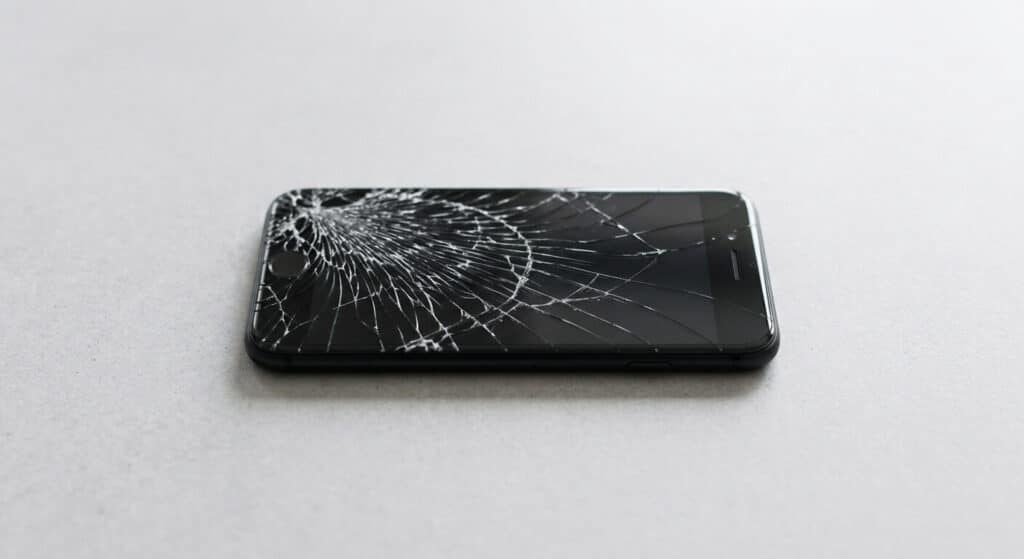
You drop your phone, hear that sound, and flip it over to find a crack running across the screen. The glass still lights up, the touchscreen still works — so is it actually a problem, or can it wait?
A cracked iPhone screen can get worse over time, and in some cases, it gets worse fast. Whether yours needs attention today or can hold for a few weeks depends on how severe the crack actually is. This guide breaks down why cracks spread, what to watch for, and how to tell if you’re dealing with a minor cosmetic issue or something that needs immediate attention.
Can a Cracked iPhone Screen Get Worse?
Yes. Once the glass cracks, the impact point is structurally weakened, and continued pressure, heat, or normal handling causes the crack to spread. Even a small hairline crack can grow into a larger break over days or weeks, especially without a screen protector or case.
This isn’t unique to iPhones — it’s how tempered glass behaves generally. The crack itself becomes the weakest point in the material, and every bit of flex, pressure, or temperature change puts stress on that exact spot.
Why Cracked Screens Spread Over Time
A cracked screen rarely stays exactly as it was the moment it happened. A few things drive that:

Stress concentration: The crack tip is where physical stress concentrates. Every time the phone flexes slightly — in a pocket, under a hand, set down on a hard surface — that stress radiates out from the existing crack rather than spreading evenly across the glass.
Heat and temperature swings: Glass expands and contracts with temperature. In Florida, that means a phone going from an air-conditioned house to a hot car and back again repeatedly. That expansion and contraction put ongoing pressure on a crack that wouldn’t exist in undamaged glass.
Touch pressure: Tapping, swiping, and typing all apply small amounts of force directly to the screen. On an undamaged screen, that pressure is harmless. On a cracked one, it’s repeated stress on an already weak point.
None of this happens on a fixed schedule. A minor crack might sit unchanged for weeks. A crack under more pressure — in a back pocket, in a bag with other items, or handled roughly — can visibly worsen within days.
The 3 Severity Tiers (and What Each Means for You)
Not every cracked screen is the same emergency. It helps to think of cracked screens in three tiers.

Tier 1: Hairline Crack
A single thin crack line, usually starting from one corner or edge where the impact occurred. The touchscreen typically still responds normally, and the display shows no discolouration or dead pixels.
This is the lowest-urgency tier. It’s still glass, and it can still spread, but a hairline crack with no other symptoms generally doesn’t require an emergency repair.
Tier 2: Spiderweb or Shattered Glass
Multiple cracks branching out from the impact point, sometimes with visible glass fragments or a “spiderweb” pattern across part or all of the screen.
This tier carries moderate-to-high risk. Loose glass can cut fingers, and the broken surface makes it easier for dust to work its way into the crack lines. Touch response is more likely to start acting up here, especially directly over the most damaged areas.
Tier 3: Lifted or Separated Screen
The display visibly separates or lifts away from the body of the phone, often most noticeable at one edge or corner.
Definition: Screen separation (sometimes called screen lifting) is a visible gap where the display starts detaching from the iPhone’s body. It’s frequently a sign of battery swelling underneath the screen rather than damage from the crack itself — though a hard impact can cause both at the same time.
This tier is urgent. A lifted screen means the phone’s internal seal is compromised, moisture and dust have a direct path inside, and if a swelling battery is the cause, that’s a separate safety concern on top of the cracked glass.
| Crack Type | Visual Signs | Risk Level | Recommended Action |
| Hairline crack | Single thin line, touch works normally | Low | Add a screen protector, and repair when convenient |
| Spiderweb / shattered | Multiple cracks, visible glass fragments | Moderate–High | Repair soon, avoid pressing on the glass |
| Lifted/separated screen | Visible gap at the screen’s edge | Urgent | Stop using it and repair it immediately |
What Happens If You Keep Using a Cracked Phone?
Short-term use of a phone with a minor crack is usually low-risk. The problems show up as the damage progresses or goes unaddressed.
The most immediate physical risk is cuts from loose glass, particularly once a crack moves from hairline to shattered. Beyond that, a cracked screen breaks the seal that normally keeps dust and moisture out of the phone’s internals — something that matters more in Florida’s humidity and around water exposure than it does in a dry climate.

Touch response can also degrade. Cracks running across the digitiser layer (the part of the screen that actually senses touch) can cause unresponsive spots or “ghost touches” that register input you didn’t make.
There’s a cost angle too. A screen-only repair is typically the cheaper fix. If a cracked screen is left long enough that moisture or dust reaches internal components, the repair can shift from “replace the glass” to “replace internal parts,” which costs more and takes longer.
Is It Safe to Use Your iPhone With a Cracked Screen?
Short-term use is usually lower-risk if the crack is minor and the touch response still works normally. Shattered glass or a lifted screen is a higher risk — it can cause cuts, let in moisture, and lead to permanent internal damage.
If you’re going to keep using a cracked phone for a few days before getting it repaired, a screen protector is worth adding. It won’t stop the underlying crack from spreading, but it does reduce the chance of glass fragments cutting your fingers and helps keep dust out of the crack lines in the meantime.
Common Mistakes People Make With a Cracked Screen
Using tape or glue as a “fix”: This doesn’t stop the glass from being structurally weak — it just covers the crack. Moisture and dust can still get in, and it often makes the eventual repair messier.
Ignoring a lifted or separated screen: A hairline crack is one thing. A visibly lifted screen is a different situation entirely and often points to a battery problem that needs attention, regardless of the crack.
Pressing on the crack to “test” it: Pushing on cracked glass to see how bad it is just adds the exact kind of stress that makes cracks spread faster.
Delaying repair near water exposure: A cracked screen and a trip to the pool or beach are a bad combination. Even iPhones with water resistance ratings lose that protection once the screen seal is broken.
Assuming all cracks are equally urgent — or none of them is: Treating a lifted screen the same as a tiny hairline crack means waiting too long on something urgent. Treating every hairline crack as an emergency means overspending on rushed repairs that could have waited.
When to Repair Your Screen Immediately
A few signs mean it’s time to stop using the phone and get it looked at right away:
- Visible lifting or a gap at the edge of the screen
- Discolouration or dark patches spreading across the display
- Dead zones where touch no longer registers
- Any sign of moisture or condensation under the glass
If you’re seeing any of these, the phone is past the “wait and see” stage. For iPhones in the Ocala area, a local repair shop can typically assess severity and turn around a screen-only repair faster than mailing it in or booking an Apple Store appointment.
Frequently Asked Questions
Can a small crack turn into a fully shattered screen?
Yes, especially with continued pressure, drops, or temperature changes. A hairline crack isn’t guaranteed to stay small — it depends on handling and protection.
Will a cracked screen stop my touchscreen from working?
Not always right away, but cracks near the digitiser layer can eventually cause unresponsive spots, or ghost touches, as the damage spreads.
Can I wait a few weeks before fixing a cracked screen?
For minor, stable hairline cracks, often yes. It depends on severity and exposure to heat, pressure, or moisture. Lifted or shattered screens shouldn’t wait that long.
Does a screen protector stop a crack from spreading?
It can slow spreading and reduce the risk of cuts from loose glass, but it doesn’t stop the underlying structural crack from growing.
Can a cracked screen damage my iPhone permanently?
Yes, if left unaddressed. Once the seal is broken, dust and moisture can reach internal components, which can cause damage beyond the screen itself.
How much does it cost to fix a cracked iPhone screen in Ocala, FL?
Cost varies by iPhone model and the type of damage — a simple cracked-glass repair is generally less expensive than a repair involving the digitiser or internal components. A local repair shop can give you an exact quote based on your model and the severity of the crack.
Conclusion
A cracked iPhone screen doesn’t stay the same — it tends to worsen with pressure, heat, and continued use. The severity tier your crack falls into is what actually determines urgency: a hairline crack can usually wait a bit, but a shattered or lifted screen shouldn’t.
Three things worth remembering:
- Cracks spread because the impact point is structurally weaker than the rest of the glass — it’s not random
- Severity, not how the crack looks at a glance, is what should drive your timeline
- Waiting too long can turn an affordable screen repair into a full device replacement
If you’re not sure which tier your crack falls into, compare it against the table above. And if it’s already showing signs of lifting, discolouration, or dead touch zones, that’s your signal to get it repaired rather than wait it out.