

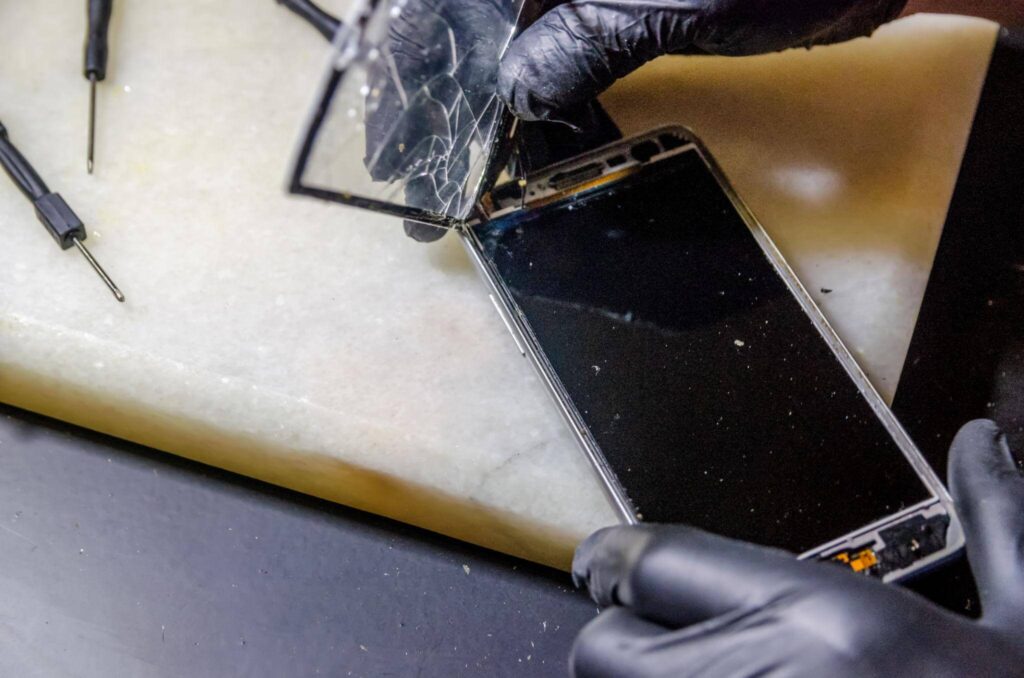
You dropped your iPhone. Maybe it landed face-down, maybe it slid off a countertop — and now you’re staring at a crack, wondering whether to panic or ignore it. A cracked screen doesn’t always mean an immediate crisis, but some signs absolutely do. Knowing the difference can save you time, money, and a lot of frustration.
This guide walks you through the seven clearest signs that you need an iPhone screen replacement, explains which symptoms require urgent attention and which can wait, and helps you determine your best next step — especially if you’re in the Ocala, FL area looking for a reliable repair option.
What Is an iPhone Screen Replacement?

Quick answer: An iPhone screen replacement involves removing the damaged display assembly, which includes the glass, touch digitizer, and OLED or LCD panel, and then installing a new unit. It restores full touch sensitivity, display quality, and water resistance. It is different from a glass-only polish or screen protector fix.
Most people use “screen replacement” and “screen repair” interchangeably, but they’re not the same thing. A glass-only repair addresses surface scratches on some older models, but a full screen replacement swaps out the entire display module. On modern iPhones (iPhone X and later), that module includes an OLED panel tightly integrated with the digitizer — so when the display is damaged at the panel level, a full replacement is the only real fix.
Article summary
An iPhone screen replacement is necessary when damage goes beyond minor cosmetic cracks and begins affecting functionality, safety, or display performance. Common warning signs include shattered glass, unresponsive touch controls, ghost touches, dark spots, screen flickering, colored lines, burn-in, and screen separation from the frame. While small cracks may be manageable temporarily, functional issues often worsen over time and can lead to complete screen failure.
Repair costs vary depending on the iPhone model, repair provider, and screen type, with local repair shops often offering faster and more affordable options than manufacturer repairs. In most cases, replacing the screen is more cost-effective than replacing the entire phone, especially when repair costs remain below 50% of the device’s current value. Before any repair, users should back up their data, verify warranty or AppleCare+ coverage, and choose a reputable repair provider that uses high-quality replacement parts. Acting early can help prevent further damage, maintain device value, and restore full functionality.
7 Signs You Need an iPhone Screen Replacement
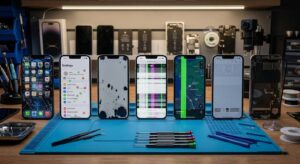
Not every cracked iPhone needs an immediate trip to a repair shop. But some symptoms signal damage that will only get worse — and a few are genuinely urgent. Here’s how to read what your screen is telling you.
Sign 1: Cracked or Shattered Glass

This is the obvious one, but the urgency depends on how bad it is.
A small hairline crack in one corner? You might get away with a quality screen protector for a few weeks while you plan the repair. But a spider-web that covers most of the screen is a different situation entirely. Sharp glass edges can cut your fingers during normal use. Rain or humidity can get into the crack and reach the internal display panel — and that’s when a cracked screen becomes a dead screen.
There’s another risk people don’t think about: when the outer glass breaks, it often compromises the IP67 or IP68 water resistance rating your iPhone came with. That rating depends on a precise seal between the glass and the frame. Once that seal is broken, your phone is no longer protected from water, even if it says it is.
The practical difference: A tiny crack in a non-critical area might be cosmetic. A shatter that covers the screen, runs edge-to-edge, or makes the phone uncomfortable to hold is a functional and safety issue. Replace it.
Sign 2: Unresponsive or Erratic Touchscreen
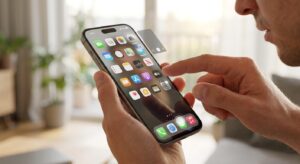
If tapping, swiping, or typing produces inconsistent results — or nothing at all — the digitizer has likely been damaged.
The digitizer is the invisible layer beneath the glass that converts your touch into input. When it fails, you might experience:
- Taps are registering in the wrong location
- The screen ignores input entirely in certain areas
- “Ghost touches” — the screen responding as if you’re pressing something when you’re not
- Apps opening randomly without you touching them
Ghost touches are particularly disruptive. In some cases, they can trigger accidental calls, app purchases, or even factory reset prompts.
One mistake to watch for: Many people assume an unresponsive touchscreen is a software glitch. Restart the phone first — if the problem persists after a restart and a software update, it’s almost certainly physical damage to the digitizer. A software fix won’t correct a broken hardware component.
Sign 3: Dark Spots, Dead Pixels, or Blotchy Display
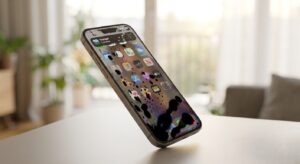
Dark or discolored patches on an iPhone display are a sign of internal screen damage, not just surface cracking.
On OLED iPhones (iPhone X through iPhone 15 Pro Max), pressure applied to the screen even from a drop that doesn’t crack the glass can damage the organic light-emitting layer beneath. This shows up as dark blotches, spreading black areas, or patches where the color looks wrong. LCD models can develop “LCD bleed,” where a white or yellowish glow appears around the edges of the display.
These symptoms tend to get worse over time, not better. If you see a small dark spot today, it will likely spread over the coming days or weeks. Acting early is always less expensive than waiting.
Sign 4: Screen Flickering or Random Brightness Changes

A flickering display is a frustrating sign that something is wrong but it’s worth ruling out a software cause first.
On some iPhone models, display flickering can be triggered by a software bug or a conflict with True Tone or auto-brightness settings. Go to Settings → Accessibility → Display & Text Size and temporarily disable True Tone and Auto-Brightness. If the flickering stops, it may be a settings issue rather than hardware damage.
If flickering persists after checking settings and updating iOS, it’s more likely a hardware problem either a damaged display driver or a flex cable connection issue between the screen and the motherboard. That’s not something that resolves on its own.
Sign 5: Colored Lines or Visual Distortion Across the Screen

Vertical or horizontal lines running across an iPhone display are one of the clearest signs of a failing or damaged screen panel.
These lines — often white, green, or black — indicate damage to the display driver circuitry or a flex cable that has become disconnected or pinched inside the device. Unlike dead pixels, these lines typically don’t stay in one place. They can spread, multiply, or take over the whole screen.
On newer OLED iPhones, a single thin green line sometimes appears after a drop, even without visible glass damage. This is widely reported on iPhone models from the 12 series onward and almost always requires a full-screen replacement. If you see it, don’t wait.
Sign 6: Screen Burn-In or Persistent Ghost Images
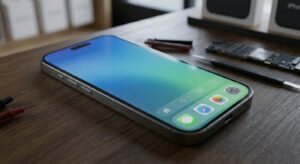
Screen burn-in happens when static images displayed for long periods leave a faint permanent mark on the panel.
This is primarily an OLED issue. Apple has acknowledged that OLED displays can show burn-in over time — it’s mentioned in their own support documentation. Common culprits include leaving navigation apps open at full brightness for extended drives or using the same lock screen image at high brightness for months.
Mild burn-in might be barely noticeable. Severe burn-in — where a ghost image of an app icon or status bar is permanently visible — significantly affects the viewing experience and resale value.
If you’re planning to sell or trade in your iPhone, a burn-in screen will noticeably reduce its value. Replacement may be worth it from a financial perspective, even if the phone functions normally.
Sign 7: Screen Is Lifting or Separating from the Frame
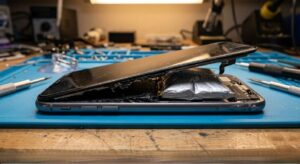
If you can see or feel a gap between the screen and the metal frame, that’s an urgent repair.
Screen separation usually happens due to adhesive failure — either from age, a drop, or, in some cases, battery swelling pushing outward from inside the device. This is the most important scenario to act on quickly: a swelling battery is a potential safety hazard, and a separating screen allows dust, moisture, and debris directly into the internals.
Do not try to push the screen back into place and tape it. That addresses the symptom without fixing what caused it. If the screen is separating, take it to a professional repair shop and ask them to check the battery as well.
Cosmetic Damage vs. Functional Damage — Does It Need Replacing Now?
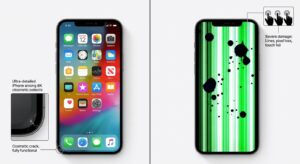
Direct answer: Cosmetic damage affects only appearance. Functional damage affects how the phone works. Functional damage almost always needs prompt attention; cosmetic damage may be manageable in the short term with a screen protector. The tricky part is that cosmetic damage frequently becomes functional damage if left alone.
Here’s a simple way to triage your screen:
| Symptom | Type | Urgency | Risk if Ignored |
| Tiny corner crack, no touch issues | Cosmetic | Can wait | May spread; water risk |
| Large shatter pattern | Cosmetic + Safety | Fix now | Cuts, water ingress |
| Ghost touches or unresponsive areas | Functional | Fix now | Worsening, unusable |
| Dark spots or spreading blotch | Functional | Fix now | Spreads across the display |
| Screen flickering | Possibly functional | Fix soon | May worsen |
| Colored lines | Functional | Fix now | Screen failure |
| Mild burn-in | Cosmetic | Fix soon | Affects resale value |
| Screen lifting or gap | Structural + Safety | Fix now | Possible battery risk |
How Much Does an iPhone Screen Replacement Cost in Ocala, FL?
Direct answer: iPhone screen replacement costs typically range from $129 to $379 through Apple, depending on the model. Local repair shops in Ocala, FL often offer lower prices with faster turnaround, though quality and parts vary. If you have AppleCare+, Apple charges a reduced service fee — usually $29 for screen damage.
| iPhone Model | Display Type | Apple Repair (approx.) | Third-Party Estimate |
| iPhone 12 / 12 Mini | OLED | $229–$279 | $100–$180 |
| iPhone 13 / 13 Mini | OLED | $229–$279 | $110–$185 |
| iPhone 14 | OLED | $279 | $120–$190 |
| iPhone 14 Pro / Pro Max | OLED (ProMotion) | $329–$379 | $150–$220 |
| iPhone 15 | OLED | $279 | $130–$200 |
| iPhone 15 Pro / Pro Max | OLED (ProMotion) | $329–$379 | $160–$240 |
Prices are approximate and subject to change. Check Apple’s official repair pricing page for current rates.
One important note about third-party repairs: the cost savings are real, but not all replacement screens are equal. OEM (original equipment manufacturer) screens and high-quality aftermarket OLED panels perform differently. A reputable local shop in Ocala will be transparent about the parts they use — don’t hesitate to ask. Learn more about how and why cracks spread over time.
Should You Repair the Screen or Replace the Whole Phone?

Direct answer: If the repair cost is under 50% of your phone’s current market value and the device is less than 4 years old, a screen replacement is almost always the better financial decision. If the phone is older, has multiple issues beyond the screen, or the repair approaches the cost of a comparable refurbished model, replacement may make more sense.
A quick way to think about it:
- Look up your iPhone’s current trade-in or resale value (Apple’s trade-in estimator or Swappa are useful references)
- Get a repair quote from a local Ocala shop or Apple
- If the repair is less than half the phone’s value, repair it
- If the phone has a failing battery, camera issues, or other problems on top of a damaged screen, factor in the total cost of getting it fully functional
Also consider: replacing an iPhone means setting up a new device, migrating data, re-authenticating apps, and often paying for a new model. Screen replacement is almost always less disruptive.
What to Do Before You Go to a Repair Shop

Before handing your phone to any technician, take these steps:
Pre-repair checklist:
- Back up your iPhone to iCloud or your computer (Settings → [Your Name] → iCloud → iCloud Backup, or connect to a Mac/PC)
- Check your AppleCare+ status (Settings → General → VPN & Device Management, or check Apple’s website with your serial number)
- Note your iPhone model and iOS version (Settings → General → About)
- Screenshot any software glitches so the technician can see them
- Disable Find My iPhone if the shop requires it (Settings → [Your Name] → Find My)
- Ask the repair shop what screen parts they use — OEM, Apple-certified, or aftermarket
The backup step matters more than people realize. Screen replacements are generally safe for your data, but hardware repairs carry a small risk of data loss. Backing up beforehand means you’re protected regardless of the outcome.
Common Mistakes to Avoid
Mistake 1: Waiting too long on a “small” crack
Small cracks spread. They also create an entry point for moisture and dust. What starts as a cosmetic issue can become a dead display within weeks — especially in a humid climate like central Florida.
Mistake 2: Assuming touchscreen problems are software
A restart is always worth trying. But persistent touch issues after a restart are almost always a hardware problem. Continuing to use a phone with digitizer damage can make the problem worse, and in some cases makes repair more difficult.
Mistake 3: Choosing a repair shop based only on price
The cheapest option isn’t always the best value. A low-cost screen replacement using a poor-quality aftermarket panel may result in dim colors, unresponsive touch, or a display that fails within months. Ask about the parts used and look for shops with transparent warranties on their work.
Mistake 4: Getting a third-party screen and expecting Face ID to work perfectly
This is something most repair articles don’t mention clearly enough: Face ID on iPhone X and later relies on the TrueDepth camera system, which is calibrated to work with the original display. Third-party screens — even quality ones — can sometimes cause Face ID degradation or reduced performance. Apple-authorized repairs preserve Face ID reliability because Apple re-pairs the components correctly. If Face ID is important to you, factor this into your repair decision.
Mistake 5: Trying DIY screen replacement without experience
iPhone screens are not forgiving to amateurs. The flex cables are delicate, the adhesive is precise, and reassembling an iPhone incorrectly can cause more damage than the original problem. Unless you have hands-on experience with electronics repair, professional service is strongly recommended.
Frequently Asked Questions
Can I still use my iPhone with a cracked screen?
You can use an iPhone with a minor crack temporarily, but it comes with real risks — sharp glass edges, reduced water resistance, and the likelihood that the crack spreads with continued use. If touch functionality is affected or the crack is large, daily use can accelerate the damage. A temporary liquid glass protector can reduce the risk while you arrange a repair.
How much does an iPhone screen replacement cost in Ocala, FL?
Costs vary by model and repair provider. Apple charges approximately $129–$379, depending on the iPhone model, with a reduced fee if you have AppleCare+. Local repair shops in Ocala may offer lower pricing, often with same-day service. It’s worth getting a quote from a local shop and comparing it with Apple’s current pricing before deciding.
Does Apple’s warranty cover a cracked iPhone screen?
Apple’s standard one-year limited warranty does not cover accidental damage, including cracked screens. AppleCare+ does cover screen damage for a service fee — typically $29 per incident. If you don’t have AppleCare+, you’ll pay the full out-of-warranty repair price. Check your coverage status at mysupport.apple.com before booking a repair.
Will a third-party screen replacement affect Face ID?
It can. Face ID depends on a precise hardware pairing between the TrueDepth camera and the display module. Third-party screens — even good-quality ones — may cause reduced Face ID accuracy or occasional failure to recognize your face. Apple-authorized repairs use correctly paired components that maintain Face ID performance. If Face ID reliability matters to you, this is worth factoring into your repair choice.
How long does an iPhone screen replacement take?
At an Apple Store or Apple Authorized Service Provider, screen replacements typically take 1–2 hours, though wait times for appointments can add to that. Many local repair shops in Ocala offer walk-in same-day service and can complete a screen replacement in under an hour. Call ahead to confirm parts availability for your specific model.
Is it worth fixing the screen on an older iPhone?
In most cases, yes — if the repair cost is under 50% of what the phone is worth on the second-hand market. For very old models (iPhone 8 or earlier), it’s worth comparing the repair cost against the price of a refurbished iPhone 12 or 13, which may offer significantly better performance for a similar investment.
Conclusion
A damaged iPhone screen isn’t always an emergency — but it’s also not something to dismiss. The seven signs above cover the range from “keep an eye on it” to “get this fixed today,” and knowing where your situation falls makes the decision much clearer.
Three practical takeaways:
- If your screen affects touch, shows dark spots, has colored lines, or is physically separating — that’s a fix-now situation, not a wait-and-see one.
- Back up your iPhone before any repair and check your AppleCare+ status — both steps take five minutes and can save you from serious headaches.
- Ask your repair shop what screen parts they use before agreeing to anything — part quality makes a real difference in how long the repair lasts.
If you’re in Ocala, FL, and you’re seeing any of these signs, don’t wait for the damage to get worse. Phone Fashion Fix offers fast, reliable iPhone screen replacements using quality parts — with transparent pricing and same-day service for most models.