

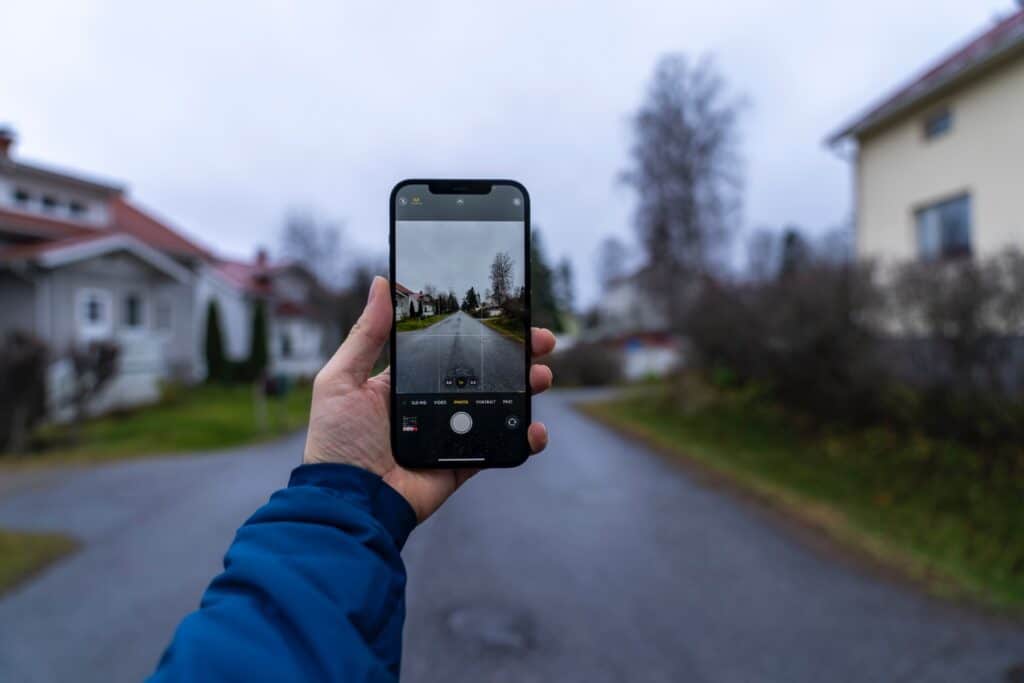
Blurry photos on an iPhone almost always come down to one of a few things: something is physically blocking or covering the lens, the software glitched after an update, or, less often, a component inside the camera has been damaged. In most cases, the fix takes a few minutes and costs nothing. In a smaller number of cases, it points to a hardware problem that needs a professional repair.If you’re asking yourself why is my iPhone camera blurry, the cause is usually easier to pin down than it seems.
This guide walks through how to tell the difference, starting with the fastest way to narrow down what’s actually going on with your iPhone camera.
Quick Answer
Most blurry iPhone cameras are caused by a dirty lens, a case blocking or interfering with the lens, or a temporary software bug after an iOS update. A smaller portion of cases involve physical damage to the lens or camera module, usually after a drop or exposure to moisture. Cleaning the lens and restarting the phone resolves the issue in most cases before any repair is needed.
Camera blur on an iPhone refers to photos that come out consistently soft or out of focus regardless of subject or distance — different from motion blur (caused by movement during the shot) or low-light softness (caused by the camera boosting exposure in dim conditions). True camera blur shows up even with a steady hand, good lighting, and a still subject, which is what points to a lens, sensor, or software cause rather than shooting conditions.
Is It All Photos, One Lens, or One App? (Quick Self-Diagnostic)
Before trying any fixes, it helps to narrow down where the problem is actually coming from. Answer these three questions:
- Are all your photos blurry, across every lens? This usually points to a dirty lens, a case interfering with focus, or a software issue affecting the whole camera system.
- Is only one lens blurry — for example, just the ultra-wide or telephoto, while the main lens is sharp? This points to something specific to that one lens or sensor, since each lens on a multi-lens iPhone operates independently.
- Does the blur only happen in one app, like a third-party camera or scanning app, but not the built-in Camera app? This usually means the issue is with that specific app, not your iPhone’s hardware.
One mistake people often make is assuming any blur means the whole camera system is failing. In practice, a single blurry lens on an iPhone 14 Pro or later is a narrower problem than blur across every lens, and it changes what you should check first.
Common Causes of a Blurry iPhone Camera
The most common causes of a blurry iPhone camera, in roughly the order shops see them, are a dirty lens, a case blocking or interfering with focus, a temporary software bug, poor lighting, and a phone that’s low on available memory and lagging.
| Cause | Likely Trigger | Quick Fix |
| Dirty lens | Fingerprints, pocket lint, dust | Wipe with a dry microfiber cloth |
| Case interference | Bulky, ill-fitting, or magnetic case | Remove case and retest |
| Software bug | Recent iOS or Camera app update | Restart the phone |
| Poor lighting | Low light forcing longer exposure | Increase lighting or use a light source |
| Laggy phone / low memory | Too many background apps running | Close background apps before shooting |
A dirty lens is the single most common cause. iPhone lenses are covered in sapphire crystal, which is scratch-resistant but still picks up oily fingerprints and fine dust that scatter light and soften the image. A dry microfiber cloth usually clears this in seconds — a detail worth repeating because it’s the fix people skip most often before assuming something worse is wrong.
Case interference is the second most common cause, and it’s not always obvious. Bulky cases can sit slightly over the lens edge, while magnetic cases — including some MagSafe-style cases — can interfere with the lens-position sensors that control focus on newer iPhones. The practical difference is that a dirty lens produces a hazy or foggy blur across the whole frame, while case interference often shows up as a partial shadow or inconsistent focus that comes and goes.
Does Your iPhone Model Matter? (Lens Count & Generation)
Yes — the number of lenses on your iPhone affects how camera blur shows up and what it usually means. Older single- or dual-lens models have fewer points of failure, while newer triple-lens models with LiDAR have more individual components that can each fail on their own.
| Model Range | Lens Configuration | What Can Go Wrong |
| iPhone X, XR, 11 (base) | Single or dual lens | Blur usually affects the whole camera system — dirty lens or software is the most likely cause |
| iPhone 12–13 (base/mini) | Dual lens (wide + ultra-wide) | Blur can be isolated to one lens; case interference is more common due to dual-camera housing |
| iPhone 14 Pro and later | Triple lens + LiDAR scanner | Each lens and the LiDAR scanner operate independently, so blur can affect just one lens while others stay sharp |
This is a detail competitors covering this topic tend to skip. On a triple-lens iPhone, the main, ultra-wide, and telephoto lenses each have their own optical image stabilization (OIS) system and autofocus motor. That’s a benefit for photo quality generally, but it also means a knock, a speck of debris, or a software conflict can affect one lens without touching the others — which is why “only my ultra-wide camera is blurry” is a real and fairly common report, not something to dismiss.
Step-by-Step Fixes You Can Try at Home
Work through these in order — most people resolve the issue in the first two or three steps.
- Clean the lens. Use a dry microfiber cloth and gently wipe the lens in small circles. Avoid paper towels, tissues, or wet wipes — paper products are abrasive enough to leave micro-scratches on the sapphire crystal lens cover over time, and wet wipes can leave a residue that attracts more dust.
- Remove your case. Take a few photos with the case off. If the blur clears up, the case is the problem — either replace it or check that it isn’t covering the lens edge.
- Tap to focus. Open the Camera app and tap directly on your subject. Wait for the yellow focus box to lock before shooting.
- Restart your iPhone. Hold the side button and a volume button, then slide to power off. This clears temporary software glitches without affecting your data.
- Check for iOS updates. Go to Settings > General > Software Update and install anything available. According to Apple’s support documentation, keeping iOS current resolves many camera app bugs introduced by prior updates.
- Reset all settings. If the blur persists, go to Settings > General > Transfer or Reset iPhone > Reset > Reset All Settings. This resets system settings without deleting your photos or data.
A common issue is stopping after step one and assuming the lens is permanently damaged when the real cause was a case or a software bug further down the list. Working through all six steps before concluding it’s a hardware problem saves an unnecessary trip in most cases.
When It’s Actually Hardware (Not a Quick Fix)
If cleaning, restarting, and updating your iPhone don’t resolve the blur — or if you notice visible damage to the lens, or the blur started right after a drop — it’s likely a hardware issue that needs a professional diagnostic rather than a DIY fix.
Signs that point to hardware rather than software or dirt:
- Visible cracks, chips, or deep scratches on the lens glass
- Blur that started immediately after dropping the phone or getting it wet
- Blur that persists after trying every step above
- A rattling or shifted feeling when you touch the camera bump
- Blur limited to one lens with no improvement after cleaning that specific lens
Common hardware causes include a cracked or scratched lens, a shifted or misaligned lens from an impact, a failed autofocus motor, or moisture that’s gotten inside the camera module without leaving obvious external damage. In our experience, most blurry-camera visits turn out to be something simple like a dirty lens or a case issue rather than a damaged camera module — but when it is hardware, it typically needs a lens or module replacement rather than a setting change, since these are physical components that can’t be fixed through software.
DIY or Professional Repair? A Simple Decision Framework
Use this to decide your next step based on what you’re seeing:
| If your symptom is… | Try this first | See a professional if… |
| Blur across all photos, no visible damage | Clean lens, remove case, restart | Blur continues after all DIY steps |
| Blur in one lens only | Clean that specific lens, check the case near that lens | Blur in that lens persists after cleaning |
| Blur started after a drop | Check for visible cracks or damage | Any damage is visible, or blur doesn’t clear |
| Blur started after getting wet | Let the phone fully dry, avoid using it | Blur persists after drying, or you notice fogging inside the lens |
| Blur only in one app | Update or reinstall that app | Blur also shows in the built-in Camera app |
If your iPhone is still under Apple’s warranty or AppleCare and the damage isn’t from a drop or spill, it may be worth checking with Apple first — camera issues from manufacturing defects are typically covered, while physical or water damage usually isn’t.
FAQs
Why is my iPhone camera blurry after an update?
iOS updates occasionally introduce temporary bugs in the Camera app that affect autofocus. Restarting the phone or, if that doesn’t help, resetting all settings usually resolves it without needing a repair.
Can I fix a scratched iPhone camera lens myself?
Light smudges and dust, yes — a microfiber cloth handles those. Actual scratches or cracks in the lens glass affect image quality permanently and need a professional lens or camera module replacement.
Does a phone case really affect camera focus?
Yes. Bulky or ill-fitting cases can partially cover the lens, and magnetic cases can interfere with the sensors that control focus, especially on newer multi-lens iPhones. Removing the case is a quick way to test this.
Is a blurry camera covered under Apple warranty or AppleCare?
Typically, if the issue is a manufacturing defect and the phone hasn’t been physically damaged or exposed to liquid. Damage from a drop or water exposure usually isn’t covered and would need a paid repair.
How much does it cost to fix a blurry iPhone camera?
It depends on the cause. Cleaning and software fixes cost nothing. A lens or camera module replacement has a service cost that varies by iPhone model — a technician can give you an exact quote after diagnosing the specific issue.
Can water damage cause blurry photos without visible damage?
Yes. Moisture can get inside the lens or affect the sensor without leaving any obvious sign on the outside of the phone. If your iPhone has been exposed to water and the camera is blurry, that’s worth having checked even without visible damage.
Why is only one of my iPhone’s camera lenses blurry?
On iPhones with multiple lenses (14 Pro and later, and some earlier dual-lens models), each lens and sensor works independently. That means dirt, a case, or damage can affect one lens — often the ultra-wide — while the others stay sharp.
Conclusion
Most blurry iPhone cameras come down to something simple: a dirty lens, a case getting in the way, or a software bug that clears up with a restart. Running through the self-diagnostic and the DIY steps above will resolve the issue in most cases without any cost.
If the blur sticks around after trying all of that, especially with visible lens damage or after a drop, it’s worth having it looked at rather than living with soft photos indefinitely. Phone Fashion Fix offers camera diagnostics for iPhone users across Ocala, booking a diagnostic to find out exactly what’s causing the blur and what it takes to fix it.