

Precision Tablet Diagnostic Service in Ocala, FL

Not sure what is wrong with your device? Phone Fashion Fix provides expert tablet diagnostic troubleshooting to pinpoint exact hardware and software failures before you commit to any repair costs.

Our specialized technicians examine your iPad, Samsung Galaxy Tab, or Android tablet from the inside out. We test underlying display layers, power circuits, terminal ports, and battery health at our Paddock Mall storefront to provide clear, upfront guidance.

Tablet Diagnostic Service Tech Workspace Paddock Mall Ocala

Tablet Diagnostic Service in Ocala, FL

If your tablet is not charging, draining fast, running slow, cracked, water-damaged, or not turning on, Phone Fashion Fix can help with a tablet diagnostic service in Ocala. Visit our shop inside Paddock Mall to get your device checked before deciding whether to repair or replace it.

A tablet problem is not always obvious from the outside. A charging issue may be caused by the port, battery, cable, adapter, software, or internal board. A cracked screen may involve only the glass, or it may affect the LCD and touch response.
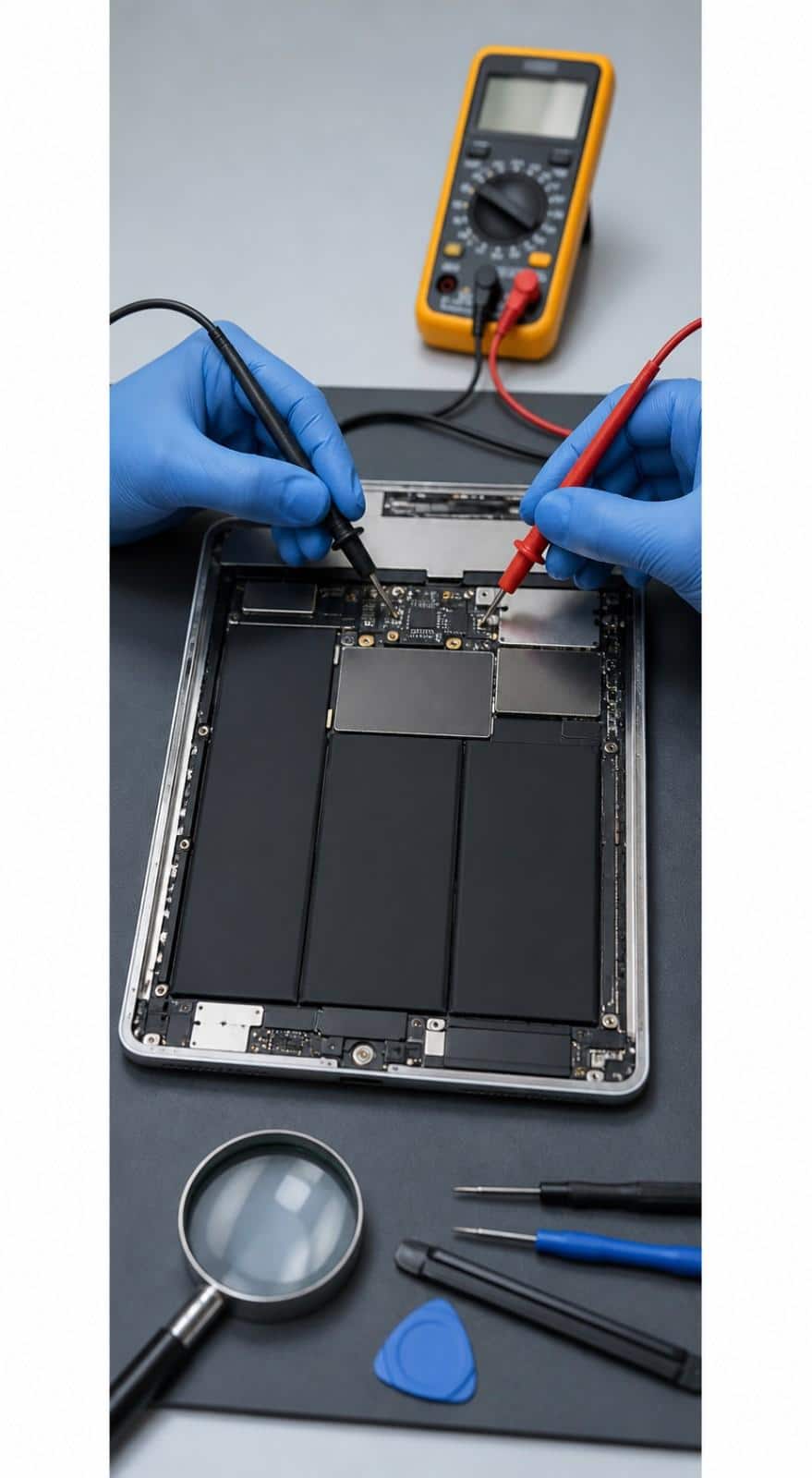
Tablet Hardware Diagnostic Service Paddock Mall Ocala

What Our Tablet Diagnostic Service Includes

Our tablet diagnostic service is designed to check the most common tablet problems in one visit. The goal is to separate the symptom from the cause, because the same issue can often come from different parts of the device.

A tablet diagnostic may include:

Visual inspection of the tablet
Power and startup check
Battery behavior review
Charging port and cable response check
Screen, LCD, and touch response testing
Speaker, button, camera, and connection checks
Water damage or corrosion inspection
Basic software and performance review
Repair recommendation before service
Quote before approved repair work

Screen, LCD, and Touch Response Checks

If your tablet screen is cracked, flickering, black, showing lines, or not responding to touch, a diagnostic can help determine whether the issue is with the glass, LCD, digitizer, connector, or internal damage.

This matters because not every screen issue requires the same repair. A surface crack is different from a display failure or touch response problem.

Battery, Power, and Charging Checks

Power problems can come from the battery, charging port, charger, cable, software, or internal board. If your tablet dies quickly, will not charge, charges only at an angle, or will not turn on, a diagnosis helps narrow down the cause.

Water Damage and Internal Issue Checks

If your tablet was exposed to water, coffee, soda, rain, or moisture, it should be checked before continued charging or use. Water damage can affect the charging port, battery, screen, speakers, buttons, or board.

Software and Performance Checks

Some tablets slow down because of storage issues, app problems, software glitches, updates, or background activity. A diagnostic can help determine whether the problem appears software-related or connected to hardware performance.

Common Tablet Problems We Diagnose

Tablet problems often overlap, which is why diagnosis matters. A tablet that will not charge may have a bad charging port, but it may also have a failed battery, weak cable, damaged adapter, or deeper power issue.

Tablet Symptom
Possible Causes
Tablet not charging
Charging port, cable, adapter, battery, board issue
The battery drains quickly
Aging battery, software load, background apps, and charging issues
The screen flickers or has lines
LCD damage, connector issue, water damage, impact damage
Touchscreen not working
Digitizer issue, screen damage, software freeze
The tablet will not turn on
Battery failure, charging issue, water damage, board problem
Tablet runs slow
Storage, apps, software, aging hardware
Tablet overheats
Battery issue, app load, charging problem, internal damage
The tablet got wet
Moisture, corrosion, charging port damage, board risk

Tablet Not Charging

A charging problem may be caused by a loose port, dirty connector, worn cable, weak adapter, bad battery, or internal power issue. Bring your charger and cable, if possible, so both the tablet and accessories can be checked.

Tablet Battery Drains Quickly

Fast battery drain may mean the battery is worn, but it can also happen because of apps, settings, updates, or charging problems. A diagnostic helps determine whether battery replacement is the right repair.

Tablet Screen Is Cracked or Not Responding

A cracked tablet may still work, but the damage can affect touch response, LCD, or internal connectors. Diagnosis helps confirm whether screen repair is enough or if another issue is present.

Tablet Got Wet or Will Not Power On

Water damage can cause delayed failure. Even if the tablet turns on once after a spill, moisture may still be inside. If your tablet got wet, avoid charging it and bring it in for inspection.

Why Diagnostic Service Matters Before Tablet Repair

A diagnostic protects you from approving the wrong repair. It helps confirm whether the tablet needs a simple part replacement, a deeper inspection, multiple repairs, or no repair at all.

Without a diagnosis, it is easy to misread symptoms. A tablet that shuts off may seem like it needs a battery, but the issue could involve the charging port or internal board. A screen that does not respond may look like a screen problem, but water damage or software failure may be involved.

A diagnostic also helps answer an important question: Is the tablet worth repairing?

Repair may make sense when the tablet is still useful, parts are available, and the repair cost is reasonable compared with replacement. Replacement may be better if the tablet has severe water damage, major board failure, limited part availability, or multiple costly issues.

Tablet Device Structural Hardware Diagnosis Ocala FL

Why Choose Phone Fashion Fix for Tablet Diagnostics in Ocala

Phone Fashion Fix gives Ocala customers a local place to get tablet problems checked before approving repair. Our shop inside Paddock Mall is convenient for customers who want in-person support, clear repair guidance, and a quote before work begins.

Local Tablet Help Inside Paddock Mall

Phone Fashion Fix is located inside Paddock Mall in Ocala, near the SW College Road / SR 200 area. You can bring your tablet in, explain the issue, and get help without mailing the device away.

Diagnostic-First Repair Guidance

We do not assume the problem until the tablet is checked. Our process looks at the symptoms, visible condition, charging behavior, screen response, battery performance, and possible damage before recommending repair.

Support for Common Tablet Brands

We can inspect common tablet types, including iPad, Samsung Galaxy Tab, Android tablets, Amazon Fire tablets, Lenovo tablets, and other models. Repair availability depends on the exact device, parts, and damage level.

Quote Before Repair

After the diagnosis, we explain the likely issue and repair option. You can review the estimate before approving any repair work.

Post-Repair Testing

If you approve a repair, the tablet should be tested after service to confirm basic function, charging response, screen behavior, and overall performance, where possible.

How Our Tablet Diagnostic Process Works

Our process is simple: check the symptoms, inspect the device, test the likely problem areas, explain the findings, and provide a repair recommendation. This gives you a clear path before deciding what to do next.

01

Check-In and Symptom Review

We start by asking what is happening with the tablet. Helpful details include whether it was dropped, got wet, stopped charging, started running slowly, overheated, or will not turn on.

02

Visual Inspection

The technician checks the tablet’s screen, frame, charging port, buttons, camera area, and visible signs of damage. This helps identify cracks, bends, swelling, moisture signs, or port damage.

03

Hardware Checks

Depending on the issue, we may check the battery, charging response, port connection, screen, LCD, touch function, speakers, buttons, camera, or other hardware behavior.

04

Software and Performance Review

If the tablet powers on, we may check for slow performance, app crashes, storage problems, update issues, or unusual behavior that may not require hardware repair.

05

Diagnosis and Repair Recommendation

Once the likely issue is identified, we explain what may be wrong and what repair options are available. If the tablet is not worth repairing, we will explain that clearly.

06

Repair Estimate and Customer Approval

Repair work starts only after you approve the estimate. The diagnostic helps you make an informed choice instead of guessing.

Tablet Diagnostic Cost and Repair Estimate Factors

Diagnostic and repair pricing depends on the store’s current policy, the tablet model, issue type, damage severity, parts needed, and labor involved. A quote after inspection is the best way to understand the final repair cost.

If a free diagnostic is currently offered, that should be confirmed before publishing the final page. Repair pricing may still vary depending on what the diagnostic finds.

Cost Factor
Why It Matters
Tablet model
iPad, Samsung, Amazon Fire, and Android tablets use different parts.
Issue type
Screen, battery, charging, software, and water damage require different checks.
Damage severity
Minor issues may be simple; severe damage may need deeper inspection.
Parts availability
Some replacement parts are easier to source than others.
Labor required
Some tablets are harder to open or test than others.
Water damage
Moisture and corrosion can affect multiple components.
Repair value
Older tablets may not always be worth repairing.

Service Areas Near Paddock Mall in Ocala

Phone Fashion Fix provides tablet diagnostic services for customers in Ocala, FL, from our shop inside Paddock Mall. This is a convenient option for tablet owners who want local troubleshooting before deciding whether to repair or replace a device.

We regularly help customers from areas near Paddock Mall and the SW College Road / SR 200 corridor, including:

  • Southwest Ocala
  • West Ocala
  • Heath Brook area
  • Shady Road area
  • Cala Hills
  • College Road / SR 200 area
  • Nearby Marion County communities

If you are near Paddock Mall and your tablet is cracked, slow, not charging, water-damaged, draining fast, or not turning on, bring it to Phone Fashion Fix for a diagnostic and repair estimate.

How Long Does a Tablet Diagnostic Take?

Tablet diagnostic time depends on the issue, device condition, store workload, and whether the tablet powers on. Simple checks may be faster, while no-power issues, water damage, or intermittent problems may take longer.

A diagnostic may take more time if:

The tablet will not turn on
The battery is completely drained
The charging port is damaged
The screen or touch response is failing
Water damage or corrosion is present
The issue happens only sometimes
Parts availability must be checked
Additional testing is needed before a quote

Fastest Visit Action Guide

For the fastest visit, bring the tablet, charger, cable, and any details about when the issue started. If the tablet still works, back up important data before service when possible.

Warranty and Repair Support After Diagnosis

A diagnostic helps explain what is wrong, but warranty or repair support applies only after approved service and depends on the repair performed. Warranty terms should be confirmed at the time of service.

If repair is completed, support may relate to the specific part or service provided. It may not apply to new damage, liquid damage, unrelated issues, software problems, customer-supplied parts, or problems caused after service.

Post-repair testing may include:

Charging response
Screen and touch function
Power behavior
Basic app or performance check
Button, speaker, or camera function when relevant

Tablet Diagnostic FAQs

These FAQs answer common questions from Ocala customers who are unsure what is wrong with their tablet. They help explain when a diagnostic is useful, what it may find, and how it supports better repair decisions.

Do I need a tablet diagnostic before repair?

Yes, a diagnostic is recommended when you are not sure what is causing the problem. It helps identify the issue before replacing parts and can prevent unnecessary repair costs.

Can you diagnose a tablet that will not charge?

Yes, Phone Fashion Fix can inspect tablets that will not charge. The issue may involve the charger, cable, charging port, battery, software, or internal power components.

How much does a tablet diagnostic cost in Ocala?

Diagnostic pricing should be confirmed with Phone Fashion Fix based on the current store policy. If a free diagnostic is available, the final repair cost will still depend on the issue, parts, labor, and device condition.

Can water-damaged tablets be diagnosed?

Yes, water-damaged tablets can be inspected for visible and internal signs of moisture, corrosion, and component failure. Repairability depends on the liquid type, exposure time, and affected parts.

How long does a tablet diagnostic take?

Timing depends on the issue and the tablet’s condition. Simple checks may be faster, while water damage, no-power issues, or intermittent problems may need deeper testing.

Is it worth repairing an old tablet?

It depends on the tablet’s age, condition, part availability, repair cost, and how you use the device. A diagnostic helps compare repair cost against replacement cost before you decide.

Get Your Tablet Diagnosed in Ocala Today

If your tablet is not charging, running slow, cracked, water-damaged, draining fast, or not turning on, bring it to Phone Fashion Fix inside Paddock Mall in Ocala. We can inspect the device, explain the likely issue, and provide a repair estimate before work begins.

Bring the tablet, charger, cable, and any details about the problem. The more information you provide, the easier it is to diagnose the issue accurately.