

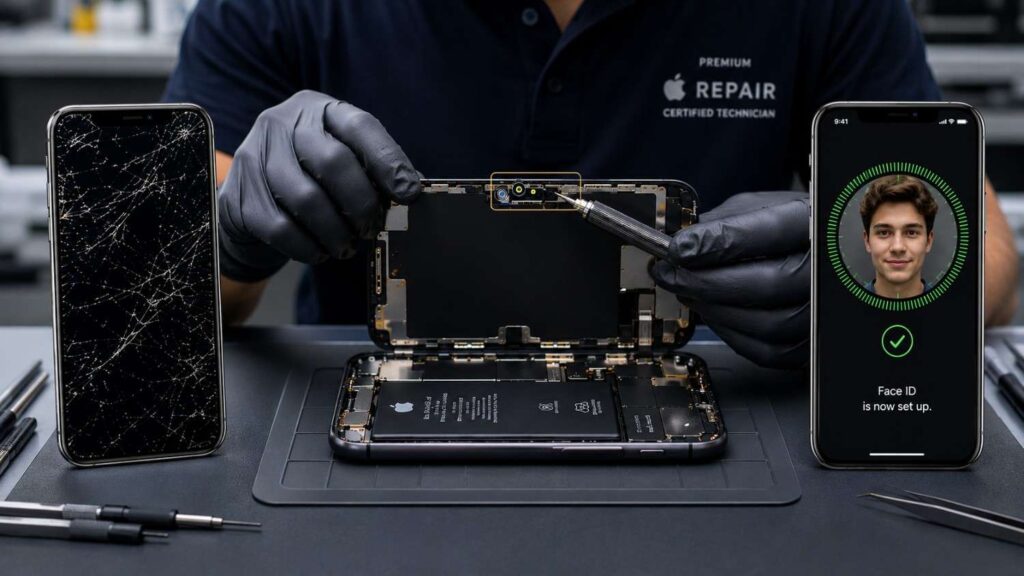
Cracking an iPhone screen is stressful enough without the worry that fixing it might break something else. One of the most common concerns I hear from customers is the same one you’re probably asking right now: does screen repair affect Face ID?
The short answer is no – a screen replacement, done correctly, should not affect Face ID. The Face ID system lives inside a separate hardware module called the TrueDepth camera, which sits at the top of the display but is not part of the screen itself.
So why do so many people report Face ID problems after a repair? In most cases, the issue isn’t the screen. It’s damage to nearby components during the repair, software warnings triggered by non-genuine parts, or technician error. The good news is that all of these are avoidable.
In this guide, you’ll learn how Face ID actually works, when screen replacement can affect it, what causes failures after repair, and how to choose a repair option that protects your phone.
What Is Face ID and How Does It Work?
Face ID is Apple’s facial recognition system that uses a TrueDepth camera module to project and analyze over 30,000 infrared dots on your face, creating a 3D map used to unlock your iPhone, authorize payments, and sign in to apps.
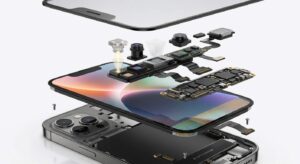
The TrueDepth camera is a small hardware module located in the notch or Dynamic Island at the top of the display. It contains several components:
- Flood illuminator — emits infrared light, even in the dark
- Infrared camera — reads the dot pattern reflected off your face
- Dot projector — projects the thousands of IR dots
- Front camera — standard selfie camera
- Proximity sensor / ambient light sensor
Apple pairs this module to the iPhone’s logic board during manufacturing. That pairing is what allows Face ID to work securely.
The important thing to understand: the screen itself does not contain any Face ID hardware. It’s a display panel, either OLED or LCD — with a digitizer. Face ID is a separate system that simply sits next to it.
Will Face ID Work After Screen Replacement?
Screen repair does not directly affect Face ID, because Face ID hardware is not part of the screen. Face ID can stop working after a screen replacement only if the TrueDepth camera module or its flex cables are damaged during the repair, or if a software warning blocks Face ID due to non-genuine parts.
Let me break that down further.
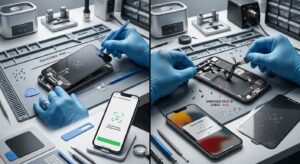
When Face ID is not affected:
- The screen is replaced by a trained technician using proper tools
- The TrueDepth camera and its connectors are left untouched
- The logic board pairing remains intact
- OEM or high-quality aftermarket parts are used
When Face ID can be affected:
- The technician accidentally damages the TrueDepth flex cable during disassembly
- The display assembly is removed forcefully and tears a connector
- A non-genuine or damaged display triggers an iOS warning
- The repair shop doesn’t reconnect the earpiece speaker or sensor flex, which is routed behind the screen on many models
In other words, the screen is rarely the actual problem. The risk is in how the repair is performed.
Why Face ID Sometimes Fails After Screen Replacement
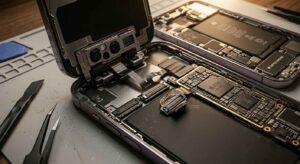
When Face ID stops working after a screen repair, it’s almost always one of the following causes:
| Cause | What Happens | How Common |
| Damaged TrueDepth flex cable | The thin ribbon cable connecting the Face ID module to the logic board is torn or punctured during screen removal | Common with inexperienced technicians |
| Disconnected sensor flex | The earpiece speaker and sensor flex cable (which sits behind the screen) isn’t reconnected properly | Common — this is a separate cable on most iPhones |
| Logic board pairing lost | Rarely, a software glitch or motherboard issue can break the Face ID pairing | Uncommon |
| Non-genuine part warning | iOS displays “Unable to verify this iPhone has a genuine display” or a Face ID unavailable message | Common with aftermarket screens |
| Software / iOS bug | A temporary iOS issue after the repair, usually fixed with a restart or update | Uncommon |
Does the Type of Screen Matter?
Yes, the type of replacement screen used can affect the user experience, though it usually doesn’t break Face ID itself.
| Screen Type | Face ID Behavior | Quality | Cost |
| OEM / Original (refurbished) | Works normally, no warnings | Highest | Higher |
| Apple Authorized Service Provider | Works normally, genuine parts | Highest | Higher |
| Premium aftermarket OLED | Usually works; may show “non-genuine display” warning | High | Moderate |
| Cheap aftermarket LCD / copy OLED | May show warnings; quality varies | Low to moderate | Lower |
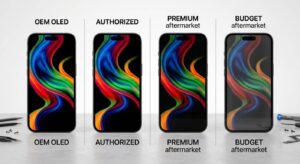
Starting with iOS 15.2, Apple introduced a non-genuine display warning. On iPhone 11 and newer models, replacing the screen with a non-Apple display can show a notification in Settings. Face ID generally still works, but the warning is permanent unless Apple or an Authorized Service Provider performs the repair.
The warning does not mean Face ID is broken. It’s an informational message from Apple.
Which iPhone Models Are Most at Risk?
In my experience, repair difficulty — and therefore the risk of accidentally damaging Face ID components — varies by model.
| iPhone Model | Repair Difficulty | Face ID Risk During Repair |
| iPhone X, XS, XR | Moderate | Low to moderate |
| iPhone 11 series | Moderate | Low to moderate |
| iPhone 12 series | Moderate to high | Moderate |
| iPhone 13 series | High | Moderate |
| iPhone 14 series | High | Moderate to high |
| iPhone 15 series | High | Moderate to high |
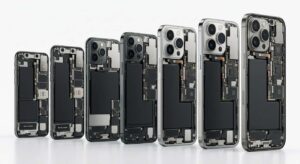
Newer iPhones have tighter internal layouts, more adhesive, and more delicate flex cables. The TrueDepth module is also closer to the screen edges, which makes the repair more sensitive to technician error.
This doesn’t mean newer iPhones can’t be repaired safely. It means the choice of repair shop matters more.
How to Avoid Face ID Problems During Screen Repair
The best way to protect Face ID during a screen repair is to choose a qualified technician who uses proper tools, transfers components carefully, and tests Face ID before and after the repair.
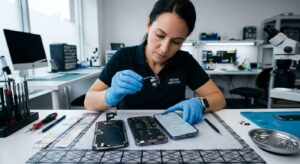
Here are the practical steps:
- Choose an Apple Authorized Service Provider or Apple Store when possible. They use OEM parts and follow Apple’s procedures.
- Use a reputable independent repair shop if Apple isn’t convenient. Look for shops that offer a warranty on parts and labor.
- Ask about part quality. A good shop will tell you whether they use OEM, refurbished OEM, or aftermarket screens — and let you choose.
- Confirm Face ID testing. The technician should test Face ID before disassembly and again after reassembly.
- Avoid the cheapest quote. A $30 screen replacement often means low-quality parts, rushed work, or both.
- Back up your iPhone before any repair. This protects your data if anything goes wrong.
Quick Checklist Before You Book a Repair
- Shop uses OEM or clearly labeled high-quality parts
- Shop offers a warranty (at least 90 days)
- Technician tests Face ID before and after the repair
- Reviews mention iPhone screen and Face ID success
- Apple Authorized or Independent Repair Provider preferred
Common Mistakes to Avoid
Mistake 1: Choosing the Cheapest Repair Shop
Low-cost repairs often mean low-quality parts, undertrained technicians, or both. The savings can disappear quickly if Face ID stops working or the new screen fails in two months.
Better approach: Compare reviews, warranty terms, and part quality — not just price.
Mistake 2: Not Asking About the TrueDepth Camera
Many customers don’t realize the TrueDepth module is a separate component. A good repair shop will mention it during the quote. Better approach: Ask, “Will you transfer my original front camera and sensor assembly?” If the answer is vague, consider another shop.
Mistake 3: Ignoring the Non-Genuine Display Warning
Some users dismiss the “Unable to verify this iPhone has a genuine display” warning because Face ID still works. While Face ID often does keep working, the warning may indicate a lower-quality display with worse color, brightness, or durability.
Better approach: Understand what you’re getting. If display quality matters to you, pay for OEM parts.
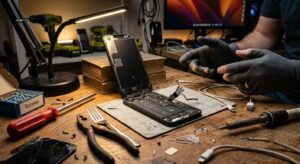
Mistake 4: DIY Repairs Without Proper Tools
I’ve seen well-meaning DIY repairs end with torn flex cables and broken Face ID. The risk is real, especially on newer iPhones. Better approach: If you must DIY, follow a detailed guide (iFixit is a strong source), use proper tools, and accept the risk before you start.
Mistake 5: Not Backing Up the iPhone
If something goes wrong during a screen repair, a backup is the difference between a small inconvenience and lost photos, contacts, and messages. Better approach: Back up to iCloud or a computer before handing over the phone.
Real-World Examples
Example 1
Cracked iPhone 13 screen, Apple Store repair A customer with a cracked iPhone 13 went to an Apple Store. The screen was replaced in under two hours using a genuine Apple part. Face ID continued working normally. Cost: higher than third-party, but warranty-backed.
Example 2
Cracked iPhone 12 screen, third-party shop A customer chose a budget third-party shop offering a $90 screen replacement. The screen worked, but Face ID stopped working two days later. Diagnosis: damaged TrueDepth flex cable during the repair. The shop fixed it under warranty, but the customer had to make two trips.
Example 3
iPhone XR screen replacement, DIY A technically comfortable user attempted an iPhone XR screen replacement using a kit from an online marketplace. The screen worked, but Face ID stopped working because the earpiece sensor flex cable wasn’t reconnected. After re-seating the cable, Face ID returned.
The common thread in each case: the issue wasn’t the screen. It was the handling of components around the screen.
What to Do If Face ID Stops Working After a Repair
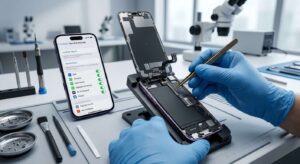
- Restart the iPhone. A simple software glitch can sometimes block Face ID temporarily.
- Update iOS. Make sure the phone is running the latest version.
- Check Settings → Face ID & Passcode. See if Face ID is grayed out or showing an error.
- Re-seat the TrueDepth flex cable. This requires opening the phone — only attempt if you’re comfortable doing so.
- Return to the repair shop. If under warranty, ask them to fix it.
- Contact Apple. If the shop can’t resolve it, Apple may be able to repair it (sometimes at cost, depending on the situation).
Frequently Asked Questions
Does Face ID stop working after iPhone screen replacement?
Face ID usually keeps working after a screen replacement, because Face ID hardware is not part of the screen. It can stop working only if the TrueDepth camera or its flex cable is damaged during the repair, or if a non-genuine part warning blocks it.
Will Apple replace Face ID if it breaks during a third-party repair?
Apple may refuse to service the Face ID system without replacing additional components, which can be more expensive than the original repair. Apple’s policy is to direct Face ID repairs to Authorized Service Providers.
Is Face ID tied to the screen?
No. Face ID is tied to the TrueDepth camera module and the iPhone’s logic board. The screen is a separate component. Replacing the screen does not break the Face ID pairing under normal conditions.
Can a non-genuine screen break Face ID?
Most aftermarket screens do not break Face ID. However, on iPhone 11 and newer models, iOS 15.2 and later shows a “non-genuine display” warning. Face ID typically still works, but Apple recommends genuine parts for full functionality.
Should I repair my iPhone screen or replace the phone?
If the iPhone is otherwise in good condition, a screen repair is usually more cost-effective than a full replacement. Replacing just the screen restores display functionality and preserves Face ID in nearly all cases. If you’re still unsure whether your screen needs replacing, check the signs it’s time for a screen replacement.
How much does it cost to fix Face ID after screen replacement?
Costs vary. If the TrueDepth camera itself is damaged, repair can range from $100 to $400+ depending on the model and provider. If it’s a loose flex cable, the fix may be included in the original repair warranty.
Conclusion
A cracked screen doesn’t have to mean losing Face ID. Does screen repair affect Face ID? In nearly all cases, no — as long as the repair is performed by a qualified technician using quality parts and proper procedures.
Here are three things to take away:
- Face ID is a separate module from the screen. The screen itself doesn’t carry Face ID hardware, so replacing it shouldn’t affect Face ID.
- Choose your repair shop carefully. Technician skill and part quality matter far more than the brand of the screen.
- Test Face ID immediately after any repair. If it fails, go back to the shop while it’s still under warranty.
If your iPhone screen is cracked, get a quote from both Apple (or an Authorized Service Provider) and a reputable independent shop. Compare part quality, warranty, and reviews, not just price. Then book the repair and protect your Face ID.