

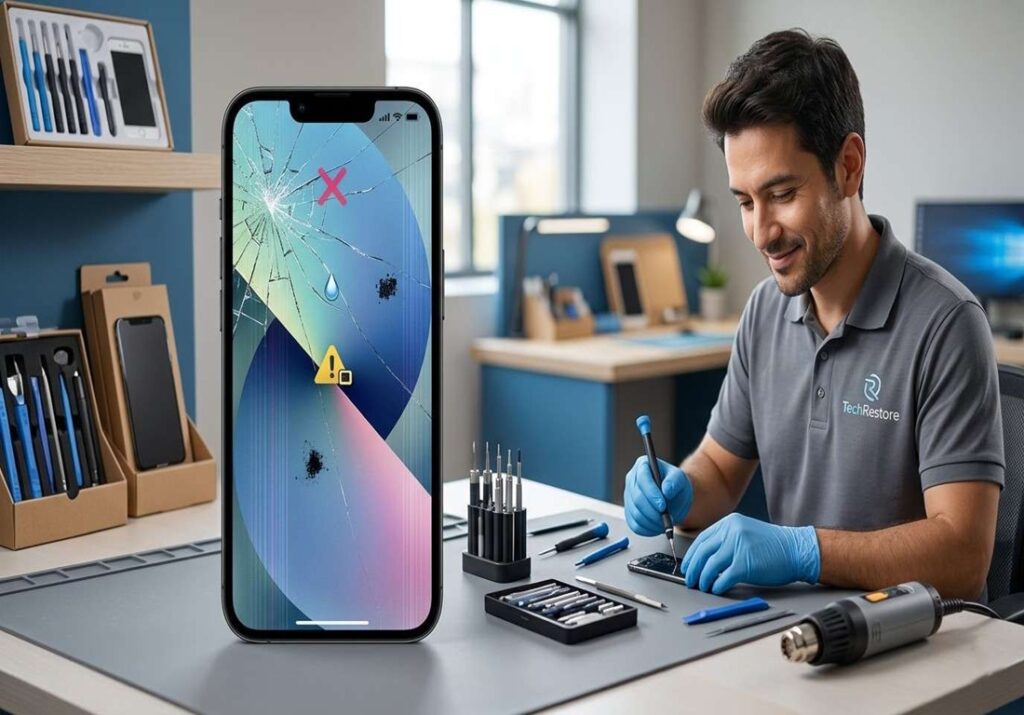
A cracked iPhone screen is rarely “just cosmetic.” In most cases, continuing to use a damaged device exposes you to safety risks, performance problems, and potentially expensive internal damage that worsens over time. If you’ve been wondering, is it safe to use a cracked iPhone? The answer depends on the crack’s severity, its location, and how quickly you take action.
This guide breaks down the actual risks of using a cracked iPhone, the warning signs that mean you should stop using it immediately, and how to decide between repair and replacement. You’ll also find guidance on professional repair versus DIY fixes, and what to look for if you’re searching for iPhone screen repair .
Definition: A cracked iPhone screen refers to any physical damage ranging from hairline fractures to fully shattered glass that compromises the outer display layer. Even minor cracks can affect the touchscreen digitizer, OLED panel, and structural seals designed to protect internal components.
Is It Safe to Use a Cracked iPhone?
Using a cracked iPhone is not safe in most cases. While a tiny cosmetic scratch on the bezel might seem harmless, the screen is a multi-layered component where damage rarely stays contained to the surface glass. According to Apple’s hardware service documentation, any visible crack typically indicates compromised structural integrity.
The short answer depends on three factors:
- Crack severity: A hairline scratch differs from a deep fracture that exposes internal layers.
- Location: Cracks near the edges, Face ID sensors, or camera areas carry higher risk.
- Device behavior: Flickering, dead pixels, or touch lag signal deeper damage.
In many cases, what looks like “just a crack” is already affecting the OLED panel, digitizer, or adhesive seals underneath. A common mistake people make is treating any visible damage as cosmetic. In practice, even small cracks allow dust, moisture, and pressure to reach sensitive components.
If your screen shows any of these black spots, flickering, unresponsive touch, or sharp edges stop using the device and seek repair. For purely cosmetic surface marks with no functional issues, short-term use with a quality screen protector may be acceptable.
What Risks Come With Using a Cracked iPhone?
A cracked iPhone isn’t only a visual problem. The screen assembly includes several bonded layers of glass, digitizer, OLED, and backlight and damage to one often spreads to others.

Risk of Glass Cuts and Splinters
Shattered glass can produce micro-splinters sharp enough to cut fingers, ears, or face during calls. This is especially true with spider-web cracks along the edges. One mistake people often make is using a cracked phone without realizing fragments may already be loose.
Touchscreen Malfunctions
The digitizer layer registers your touch. Once cracked, it may register phantom touches, miss inputs, or stop responding in certain areas. In practice, this is usually the first functional symptom of screen damage.
Eye Strain From Display Damage
Cracks distort light output from the OLED panel. Prolonged viewing on a damaged screen can cause headaches, eye fatigue, and difficulty reading small text, a common issue often overlooked until symptoms appear.
Hidden Internal Damage
The glass isn’t only a display surface it also protects the proximity sensor, ambient light sensor, and Face ID array. A crack near the top of the screen can disrupt these without obvious symptoms.
Battery Exposure Risks
Severe impact can transfer force to the battery beneath the screen. While rare, a cracked screen combined with battery swelling or heat is a serious safety concern.
The practical difference here is that these risks compound. A crack that affects the digitizer today may expose the OLED tomorrow, and let moisture in next week.
Can a Cracked iPhone Screen Get Worse Over Time?
Yes, and in most cases, it will. A cracked screen rarely stays the same.
Several everyday factors accelerate deterioration:
- Pressure damage: Carrying the phone in a pocket or bag applies constant stress to fractured glass.
- Drops and bumps: Even small impacts expand existing fracture lines.
- Temperature changes: Heat expands materials; cold contracts them. Repeated cycles widen cracks along stress points.
- Moisture exposure: Humidity, sweat, and rain seep through cracks and degrade adhesives.
In practice, a hairline crack today often becomes a web of fractures within weeks. This typically happens when users ignore early warning signs because the phone still “works.”
The financial consequence matters here. Delaying repair on a small crack often leads to:
- Cracked OLED panel replacement (significantly more expensive than glass-only repair)
- Face ID module failure
- Internal corrosion from moisture entry
A better way to think about it: a cracked screen is a countdown timer. The longer you wait, the more components become vulnerable, and the higher the repair cost.
Does a Cracked Screen Affect Water Resistance?
Yes. Any crack compromises the water resistance of an iPhone.
Apple rates iPhones with IP68 water resistance meaning they’re designed to withstand submersion under specific lab conditions. This protection depends on factory-sealed adhesives bonding the screen to the frame. Once the screen cracks, those seals break.
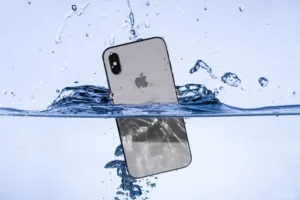
A cracked iPhone screen compromises the factory-installed seals that provide water resistance. Even minor cracks create entry points for moisture, which can damage internal components, corrode the logic board, and leave the device with no water-damage protection. Apple does not cover water damage under warranty for any device.
Here’s what most users miss: iPhones are water-resistant, not waterproof. The rating refers to fresh water under controlled pressure, and any structural damage voids that protection. Once cracked:
- Moisture enters through fracture lines
- Adhesives lose grip around the damaged area
- Internal corrosion can begin within hours of exposure
A common issue is assuming the phone still works after water contact, so water resistance must still be intact. This usually breaks when corrosion develops slowly and surfaces weeks later as display artifacts or charging problems.
If your screen is cracked, treat the device as if it has no water protection, regardless of its original IP rating.
Warning Signs You Should Repair Your iPhone Immediately
Some symptoms mean repair should not wait. Here’s an urgency-based checklist:

Black Spots or Dead Pixels
Dark patches on the display indicate OLED damage beneath the glass. These don’t heal and typically spread.
Screen Flickering
Flickering or color distortion suggests the display cable or OLED panel is failing. Teams often run into this when devices are dropped but appear “fine” initially.
Touch Not Responding
Dead zones or unresponsive areas mean the digitizer is compromised. The phone may register phantom touches even when you’re not interacting with it.
Face ID Problems
If Face ID stops recognizing you after a crack, the TrueDepth camera or sensor array is likely damaged. This is one of the more expensive repairs.
Exposed Glass or Sharp Edges
Loose shards mean the structural integrity of the screen has failed. Continued use risks cuts and deeper damage to internal layers.
If any of these apply, schedule repair as soon as possible. Results can differ based on how quickly you act. Early repair often prevents additional component failure.
When Is It Relatively Safe to Keep Using a Cracked iPhone?
There are limited situations where short-term use is acceptable:
- A small cosmetic crack with no functional impact
- Temporary use while waiting for a scheduled repair
- The crack is fully contained and doesn’t expose internal layers
If you must keep using it, follow these precautions:
Install a Screen Protector
A tempered glass screen protector holds fragments in place and prevents the crack from spreading. It also adds a layer of protection against moisture and debris.
Avoid Water Exposure
Treat the device as if it has no water resistance. Keep it away from rain, sinks, pools, and humid environments.
Back Up Important Data
Cracked screens can fail without warning. Back up to iCloud or a computer immediately, don’t wait for the screen to stop working entirely.
A common mistake is assuming the phone is “still working, so it’s fine.” In practice, the safest approach is to schedule repair within a few days, even if use seems acceptable.
Should You Repair or Replace Your iPhone?
The repair-or-replace decision depends on several factors. Here’s a decision framework:
| Factor | Repair Recommended | Replace Recommended |
| Device age | Less than 3 years | 4+ years |
| Crack severity | Surface glass only | OLED or internal damage |
| Repair cost vs. replacement | Under 50% of replacement cost | Over 60% of replacement cost |
| Model value | iPhone 16, iPhone 15, iPhone 14 series | iPhone 12 or older |
| Other issues | None | Battery health below 80%, multiple defects |
Repair Cost vs. Replacement Value
For newer iPhones, including the iPhone 16, iPhone 15, and iPhone 14 series professional screen repair is almost always more cost-effective than full replacement. Original device value is high, and parts are readily available.
Device Age and Performance
Older iPhones with degraded batteries, outdated processors, or storage limitations may not justify a costly repair. In that case, replacement delivers better long-term value.
Severity of Damage
Surface glass cracks are repairable. OLED damage, Face ID failure, or frame bending often pushes repair costs into replacement territory.
You should repair an iPhone with a cracked screen if the device is under three years old, the damage is limited to the outer glass, and repair costs stay under 50% of the phone’s current market value. Replacement usually makes more sense for older devices with multiple defects or when OLED damage is involved.
A better way to think about it: if repair costs exceed half the phone’s current market value, replacement is usually the smarter financial move. For devices under two years old with isolated screen damage, repair is almost always the right call.
Professional Screen Repair vs DIY Repair
Benefits of Professional Repair
- Genuine parts: Authorized providers use original Apple components that match display calibration and touch response.
- Proper sealing: Professionals restore the adhesive bond that maintains water resistance.
- Warranty coverage: Most professional repairs include a 90-day to 1-year warranty.
- Diagnostic accuracy: Technicians can identify hidden damage you might miss.
Risks of DIY Repair
- Voided warranty: Self-repair on Apple devices can void remaining coverage.
- Improper sealing: Without proper adhesives, water resistance is permanently compromised.
- Component damage: The proximity sensor, Face ID, and display cables are fragile and easily damaged.
- No recourse: DIY mistakes are yours to fix, often at greater cost than the original repair.
Genuine Apple Parts vs Aftermarket Screens
According to Apple’s repair documentation, third-party screens may not match original color accuracy, brightness, or True Tone functionality. Genuine Apple parts preserve the display experience and device value.
In many cases, the practical difference comes down to long-term reliability. Professional repair with genuine parts typically lasts the life of the device; DIY and aftermarket repairs often fail within months.
Frequently Asked Questions
Can I still use my iPhone if the screen is cracked?
Yes, if the crack is minor and doesn’t affect touch, display quality, or safety. However, cracks can worsen over time, so repair is recommended as soon as possible.
Can a cracked iPhone screen cut my finger?
Yes. Cracked glass can create sharp edges and small splinters that may cause cuts during normal use.
Does a cracked screen affect Face ID?
It can. Damage near the Face ID sensors or internal components may cause Face ID to stop working properly.
Will a cracked screen cause water damage?
A cracked screen can compromise your iPhone’s water resistance, making it easier for moisture to enter and damage internal components.
Should I repair my cracked iPhone immediately?
Yes, if you notice touch issues, screen flickering, dead pixels, Face ID problems, or exposed glass. Minor cosmetic cracks should still be repaired promptly.
How much does cracked iPhone screen repair cost?
Repair costs vary by iPhone model and damage severity. Newer OLED-equipped iPhones typically cost more to repair than older models.
Final Verdict: Don’t Ignore a Cracked iPhone Screen
For anyone still asking, “Is it safe to use a cracked iPhone?“, the reality is that even minor screen damage can lead to safety risks, performance issues, and costly repairs if left unaddressed.
Here’s what matters most:
- Stop using the device if you see flickering, dead pixels, touch issues, or Face ID failure
- Treat the phone as non-water-resistant once cracked, regardless of IP rating
- Schedule repair quickly delays often double the eventual cost
- Choose professional repair with genuine parts over DIY shortcuts
- Consider replacement only for older devices with multiple issues
If you’re looking for professional iPhone screen repair in Ocala, choose a repair provider that offers high-quality replacement parts, transparent pricing, warranty coverage, and same-day service whenever possible. Phone Fashion Fix is one local option that meets these criteria.